BoxStream for cars with Android Auto
Your car screen. BoxStream’s interface.
Install the app on your Android phone and plug it into your car’s Android Auto port. Your car screen runs BoxStream’s own interface: open any app on your phone, split the screen, change themes.
- No Google Android Auto app needed
- No root needed

From installing the app to BoxStream on your car screen
- 01
Install the app on your phone
Download BoxStream from boxstream.tech and install it on a phone with Android 11 or later. If Android asks, turn on Allow from this source.
- 02
Enter your key
Open the app, type your 16-character key and tap Activate.
- 03
Pair once. No root needed.
Turn on Wireless debugging, built into Android, and type the 6-digit code right in the BoxStream notification. After that, the app takes care of it.
- 04
Plug into your car’s Android Auto port
Use a data cable and plug into the Android Auto USB port. In cars with wireless Android Auto, your phone connects on its own, no cable needed.
- 05
Your car screen switches to BoxStream
No Google Android Auto app needed on your phone. BoxStream connects to the car by itself, and the screen runs BoxStream’s interface.
- 06
Every app on the car screen
YouTube while parked, Google Maps, Zalo, VIETMAP: open any app you’ve installed. Split into two or three panes, one app in each.
- 07
Change themes in the app
Pick Glass or Map in the Themes tab and the car screen follows. Glass comes with every key; Map is an add-on.

 BoxStream
 Map
Two things you don’t need.
No Google Android Auto app needed
BoxStream connects to your car through its Android Auto port. The screen runs BoxStream’s interface, not Android Auto’s.
No root needed
Android 11 or later. Pair once with Wireless debugging, already in Settings. It takes a few minutes.
Map theme, an add-on
The map fills your car screen.
Google Maps is your home screen. Speed on the left, directions on the right, music and apps right at hand. Try it in your browser, just like in the car.

Apps
Open any app on your phone, right on the car screen.
Android Auto only opens a handful of approved apps. BoxStream shows every app you’ve installed: VIETMAP, Zalo, YouTube while parked, Chrome to look things up. Tap, swipe and type on the car screen, with sound through the car speakers.
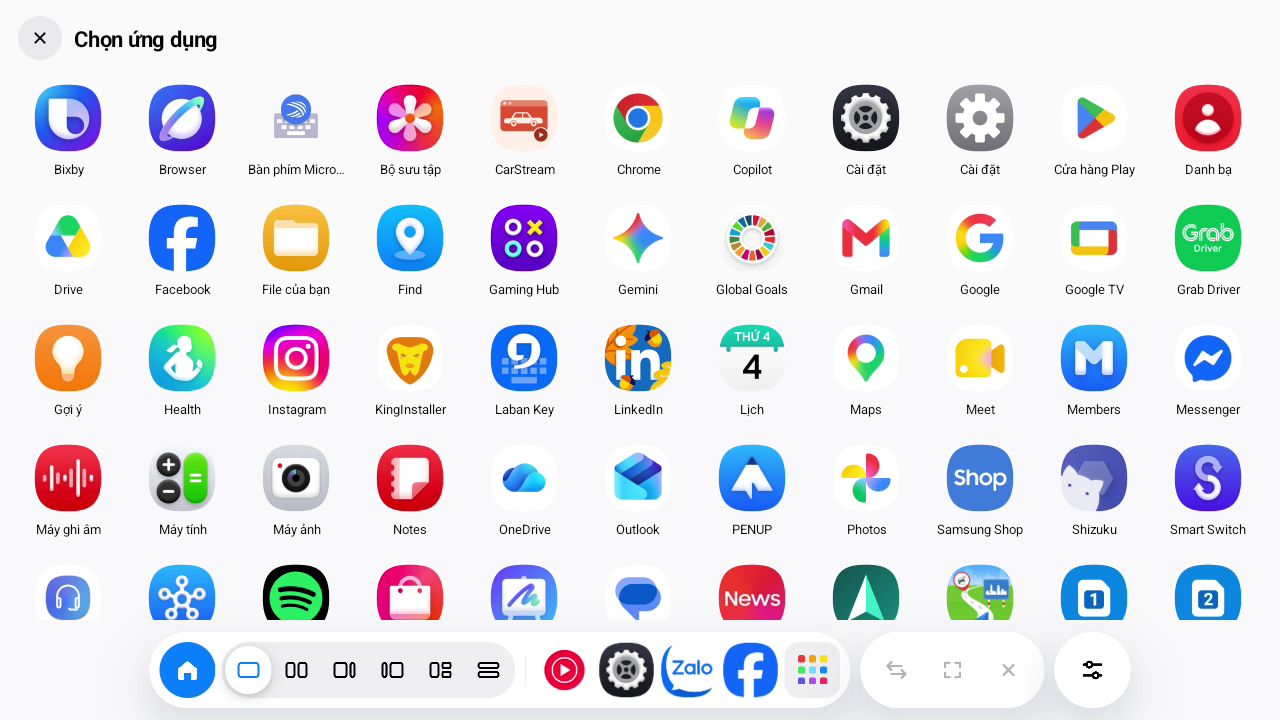
Split screen
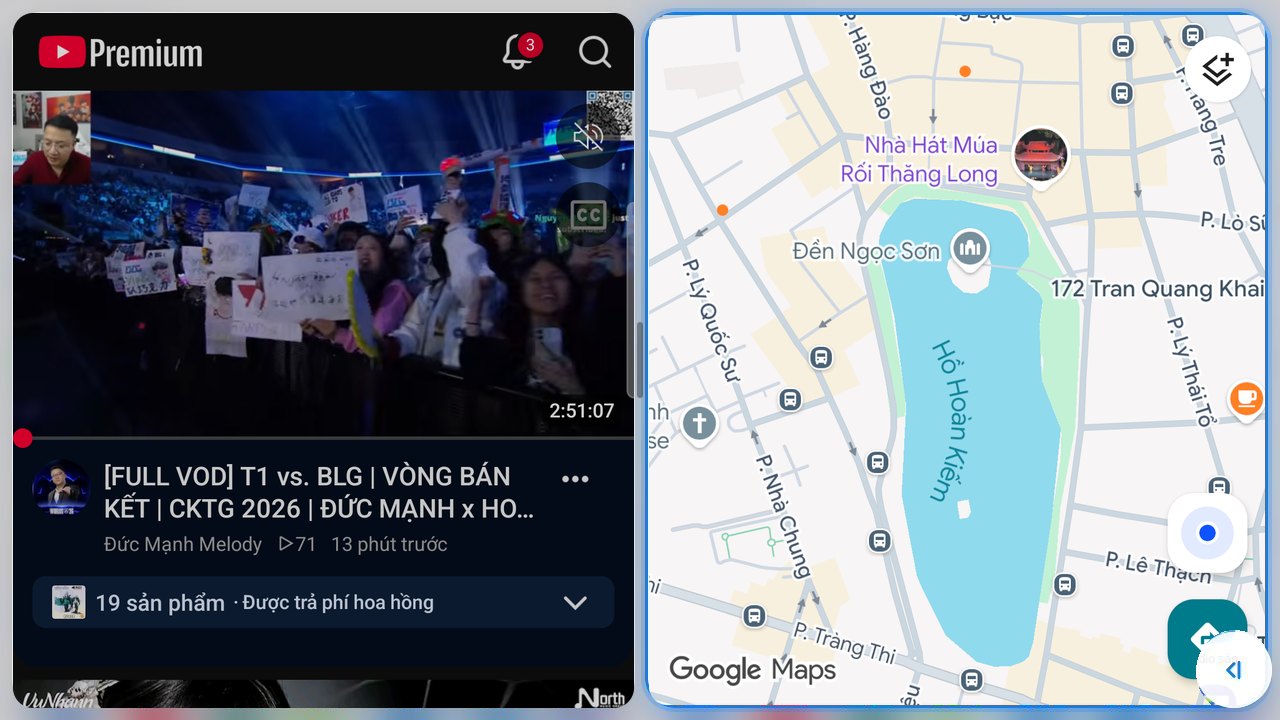
Maps on one side. Music or messages on the other.
Split the screen into two or three panes, each running its own app.
- Pick a layout from the bar at the bottom of the car screen
- Drag the middle button to resize the panes
- Drag to the edge of the screen to close a pane
Glass theme, included with every key
Readable at a glance.
Speed from your car’s sensors, the time, the weather and what’s playing, all on one screen. Big text, big buttons, few words. Light and dark follow sunrise and sunset wherever you drive.
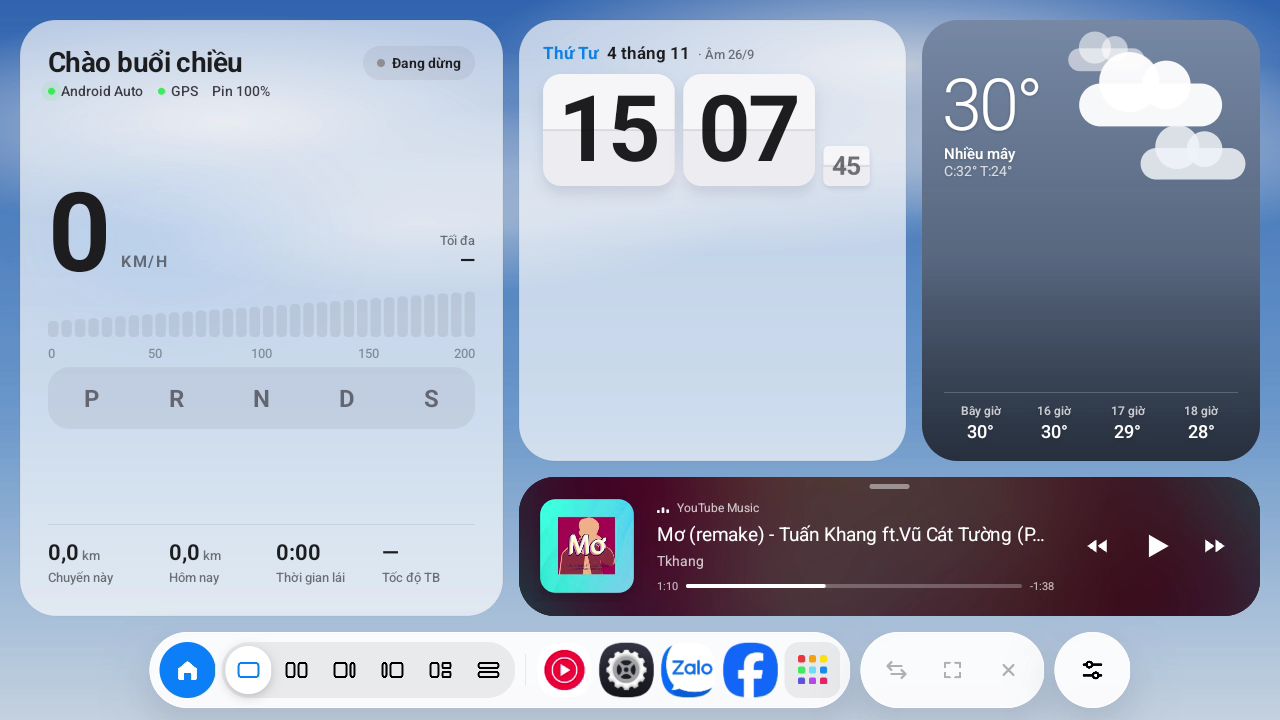
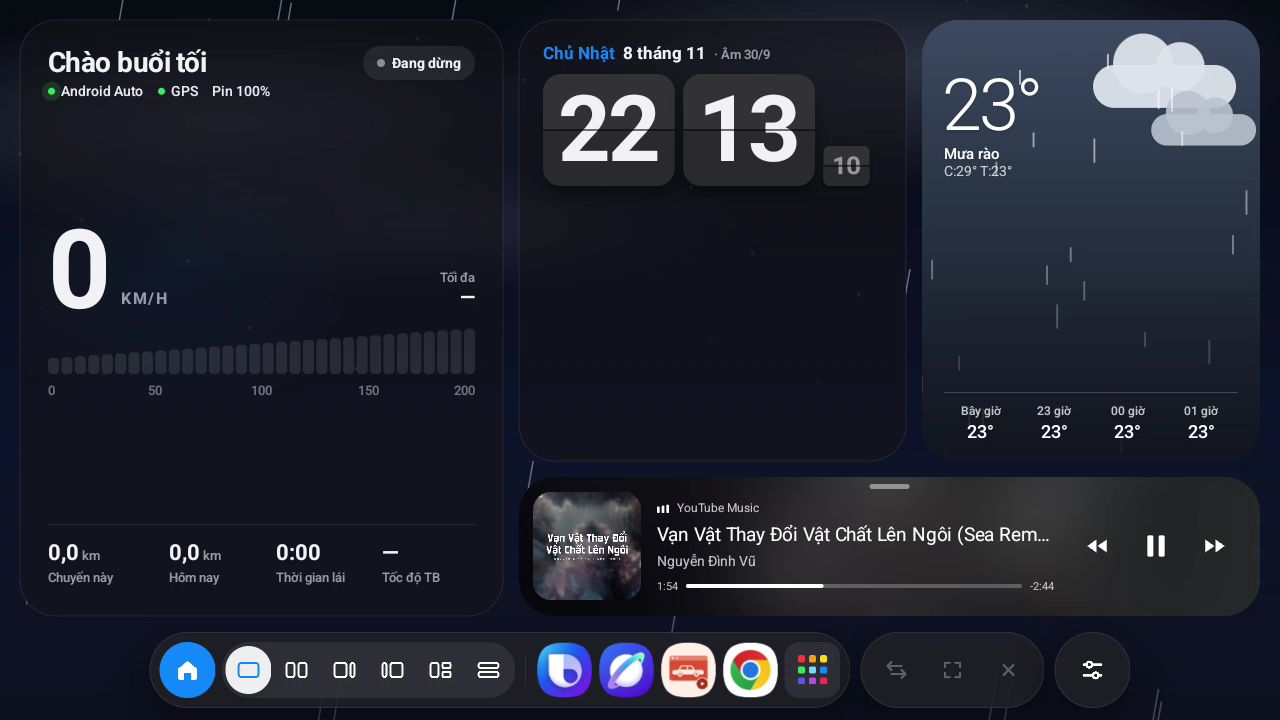
Real screenshots. The Glass theme by day and by night.
And more.
Add-ons
More themes for your car screen.
Buy them separately for the key you use. Each one has a preview that runs in your browser and responds to touch, just like in the car.
Loading add-ons…
Before you buy, check two things.
Not sure your car will work? Send us the make, model and year, and we’ll answer before you pay.
- An Android phone with Android 11 or laterNo root needed.
- A USB cable that carries dataCharge-only cables can’t connect to the car.